
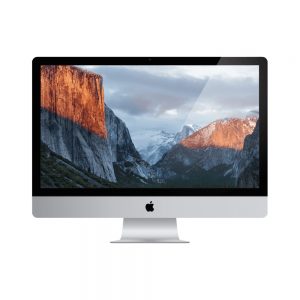
Getting inside an iMac is the first job
Apple products require different tools and skills to repair. Using a tool set designed specifically for this task, it is necessary to remove the glass screen of the iMac in order to access the hard drive — before any recovery work can begin.
iMac Storage Types
-
PRE2012
Spinning hard drives
iMacs pre-2012 use normal spinning hard drives, so that data recovery follows the normal procedures for hard drive data recovery.
Once the glass and panel are off, the drive comes out and every option is available — head replacement, PCB repair, firmware work and imaging around bad sectors.
- 3.5" SATA
- Removable
- Cleanroom work possible
-
2012– 2020
Apple’s Fusion Drive
An SSD and a hard drive logically combined into a single block device. Convenient in use, and the most awkward iMac configuration to recover from. Full explanation below.
- SSD + HDD paired
- Managed by the OS
- Cannot be separated
-
POST2020
Soldered SSD
In general the SSDs on later iMacs have the solid state drive soldered onto the motherboard, so that data recovery requires repair of the iMac logic board.
There is no drive to remove. The work happens at board level, which is a different discipline to drive recovery entirely.
- Soldered NAND
- Logic board repair
- No removable module
Why Fusion Drives are the hard ones
SSDs and hard drives are logically combined into one block device managed by the operating system, which is independent of file systems and requires no application changes. It hides latencies and boosts write performance by using SSD space as a write-back buffer.
SSDs store data that is frequently accessed, while HDDs store larger, less frequently accessed data. As a result of access patterns, data is usually moved to the SSD by the program controlling the Fusion Drive if it has been on the HDD and suddenly becomes frequently accessed. Data is written during idle periods to achieve data processing performance for users.
Fusion drives present a unique problem, as the paired SSD and HDD cannot be separated. Both halves have to be imaged and the pairing reconstructed before any file can be read.
What causes iMac data loss
Identifying the root cause is what determines the recovery plan.
Here at Data Recovery Perth we are familiar with all of the storage technologies used in iMac computers and can recover your data quickly and efficiently.
iMac freezing or not booting?
We do not charge to quote and there is no fee if your data is not recovered.